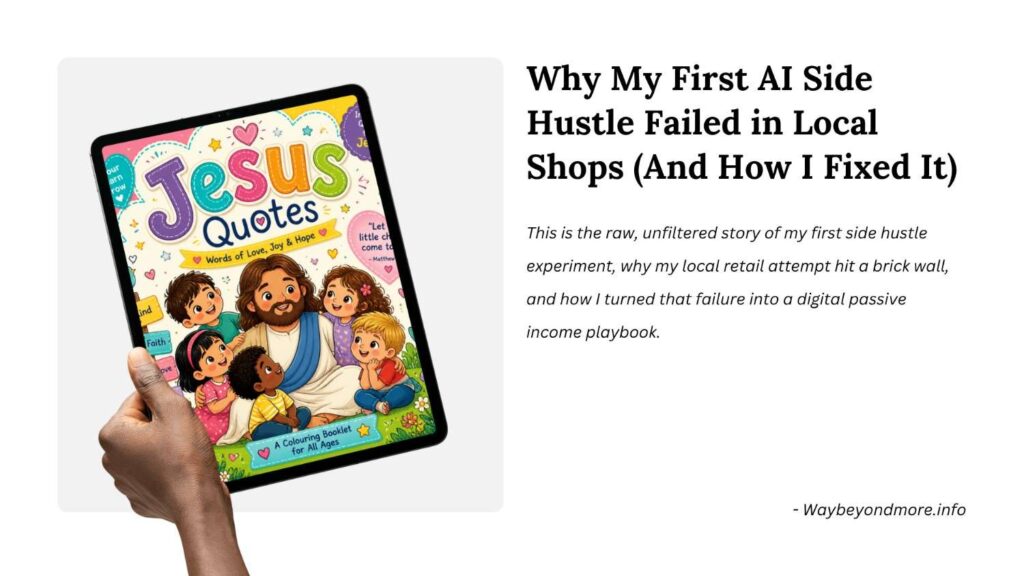
Introduction: Hi there! I’m a digital marketing manager and illustrator with big goals and a relentless drive to build new income streams. Recently, I wanted to test a simple question: Could I—a regular guy with zero traditional illustration experience—use AI and Canva to build a physical product from scratch, sell it locally, and pivot it to Amazon KDP?
This is the raw, unfiltered story of my first side hustle experiment, why my local retail attempt hit a brick wall, and how I turned that failure into a digital passive income playbook.
But here is the challenge, when I try to know the market, i saw, many publishers or competitors are already there in the market. So, I thought I wanted to make a “unique Colouring Book” to sell in the market.
Ideation & Using Canva’s AI Tools
So, I came up with an idea to sell “Jesus Quotes” text colouring books.
At first, I tried sketching concepts by hand and designing layouts in Adobe Photoshop and Illustrator.
But designing everything manually took a massive amount of time and effort. I decided to use Canva AI tools and searched for a simple AI tool in Canva as I am a beginner.
I started with Canva’s built-in AI tool: Magic Media.
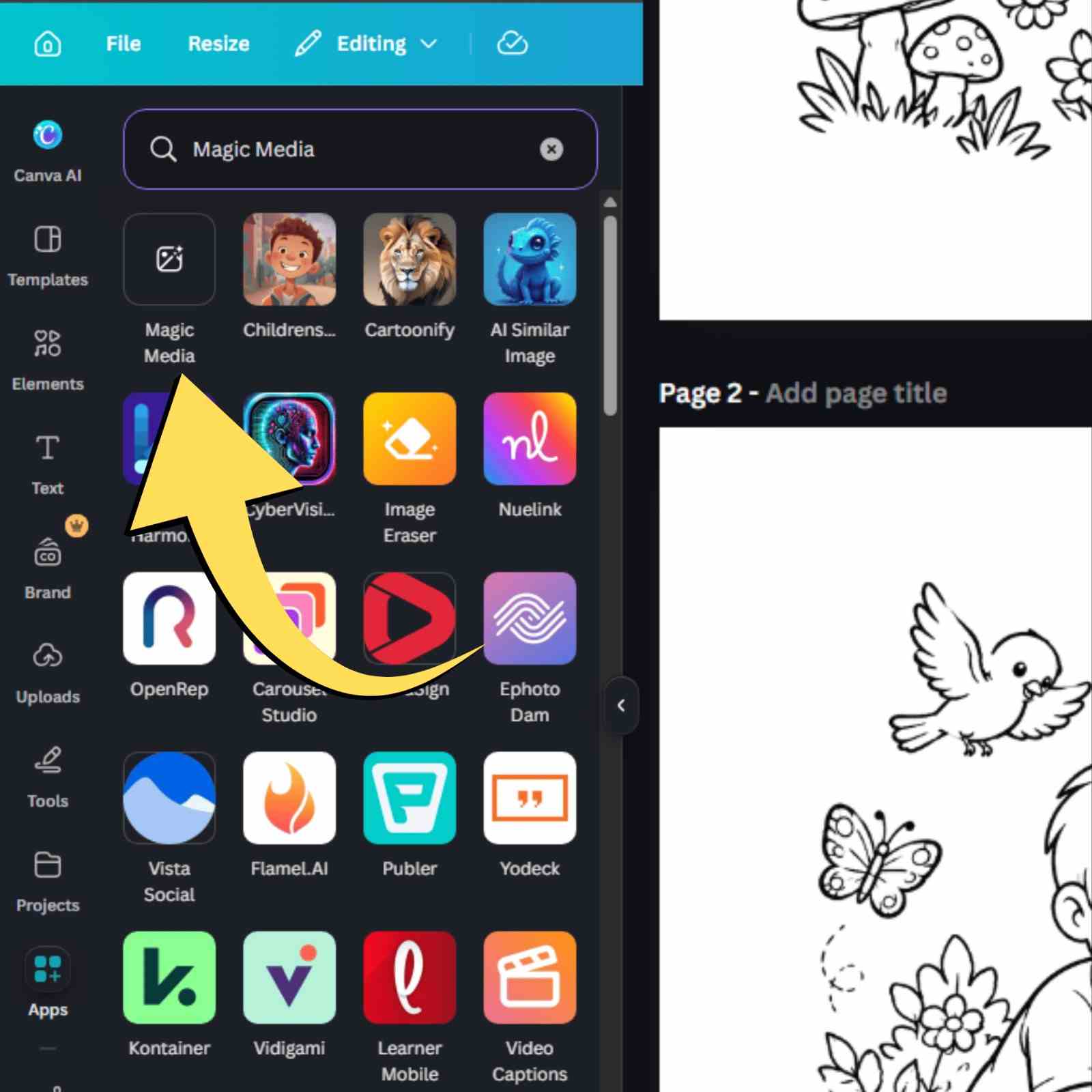
This AI tool “Magic Media” in Canva is awesome, I made around 24 AI generated colouring pages. And after creating 24 colouring pages, a popup came as “this AI magic media tool quota completed” then i took a pro subscription of one week, still the same popup is appearing. So even if you take a pro subscription this ai tool Magic media is limited version (25-30 prompts) in Canva.
“Here is the “jesus quotes” Hard Copy:
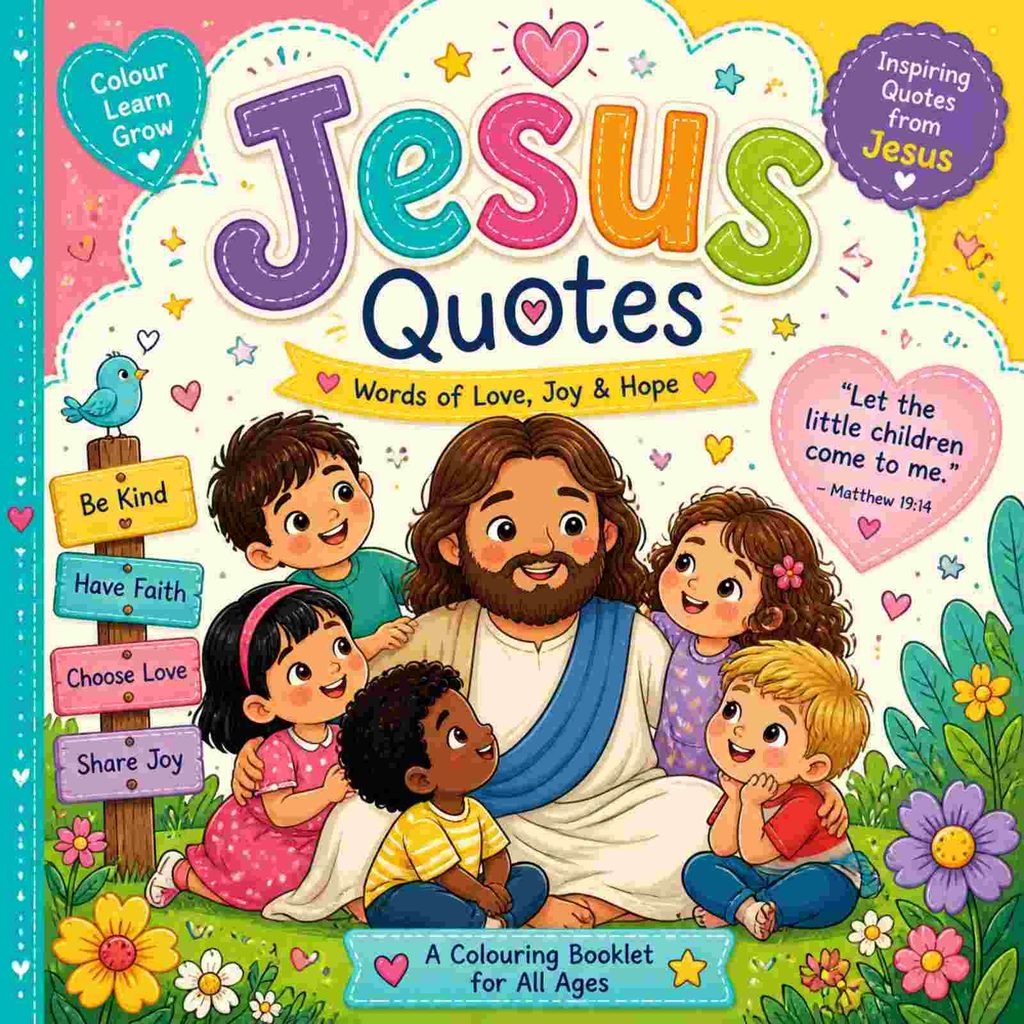
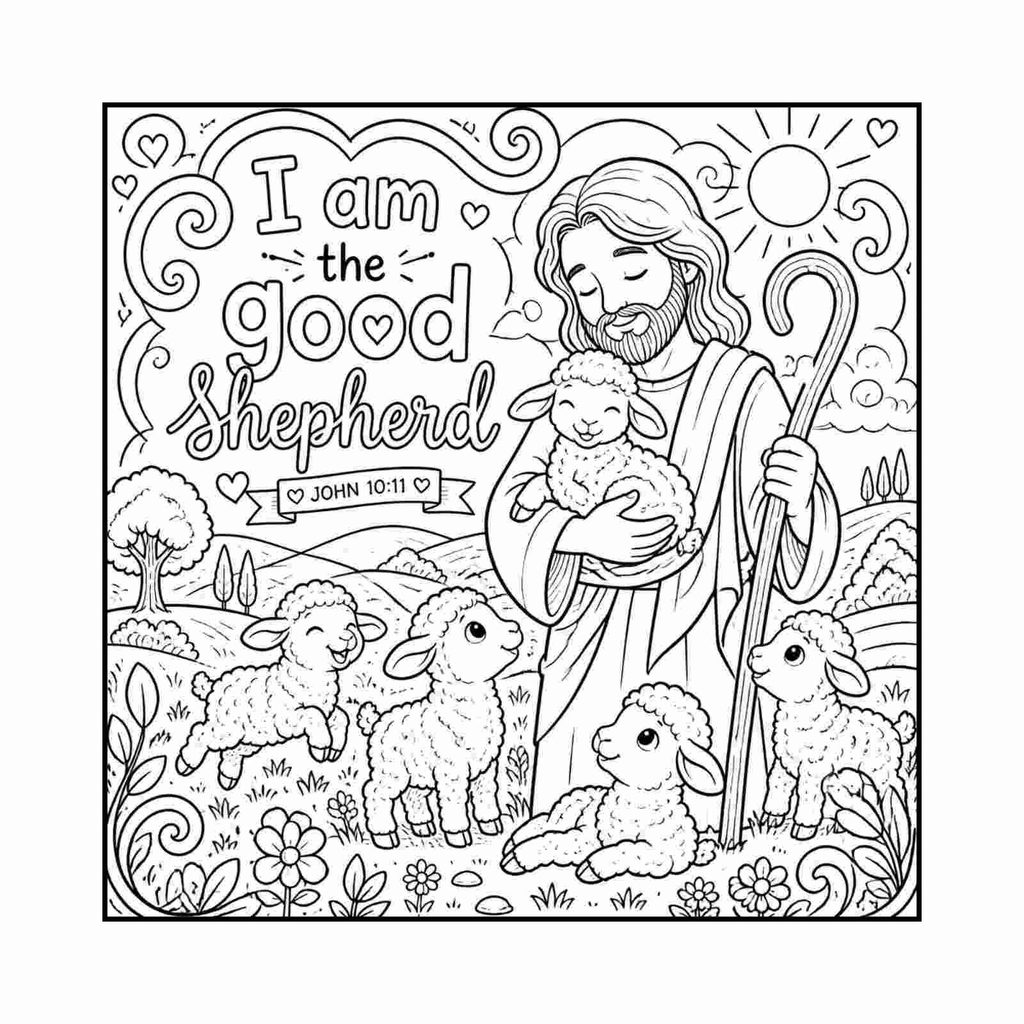
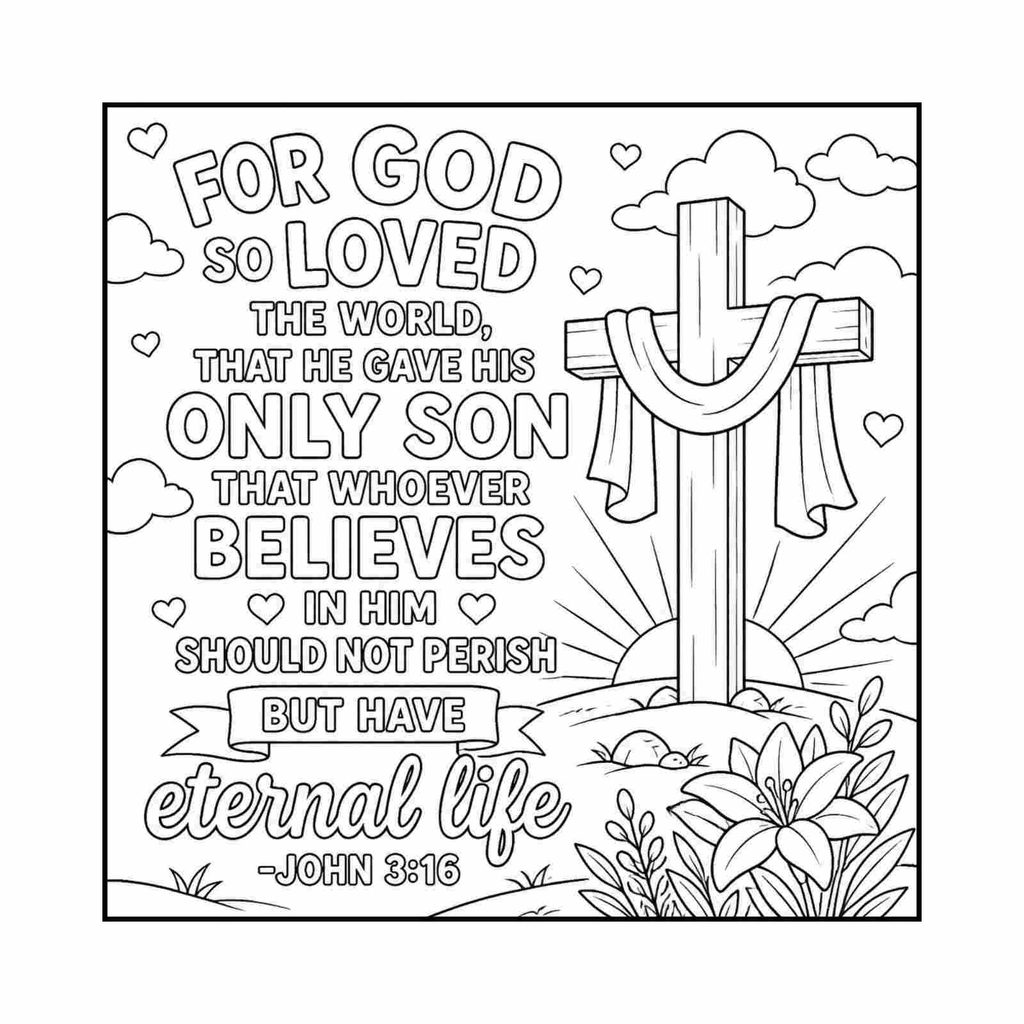
So, I created these beautiful “jesus quotes” ai images.
Printing Our First Hard Copy
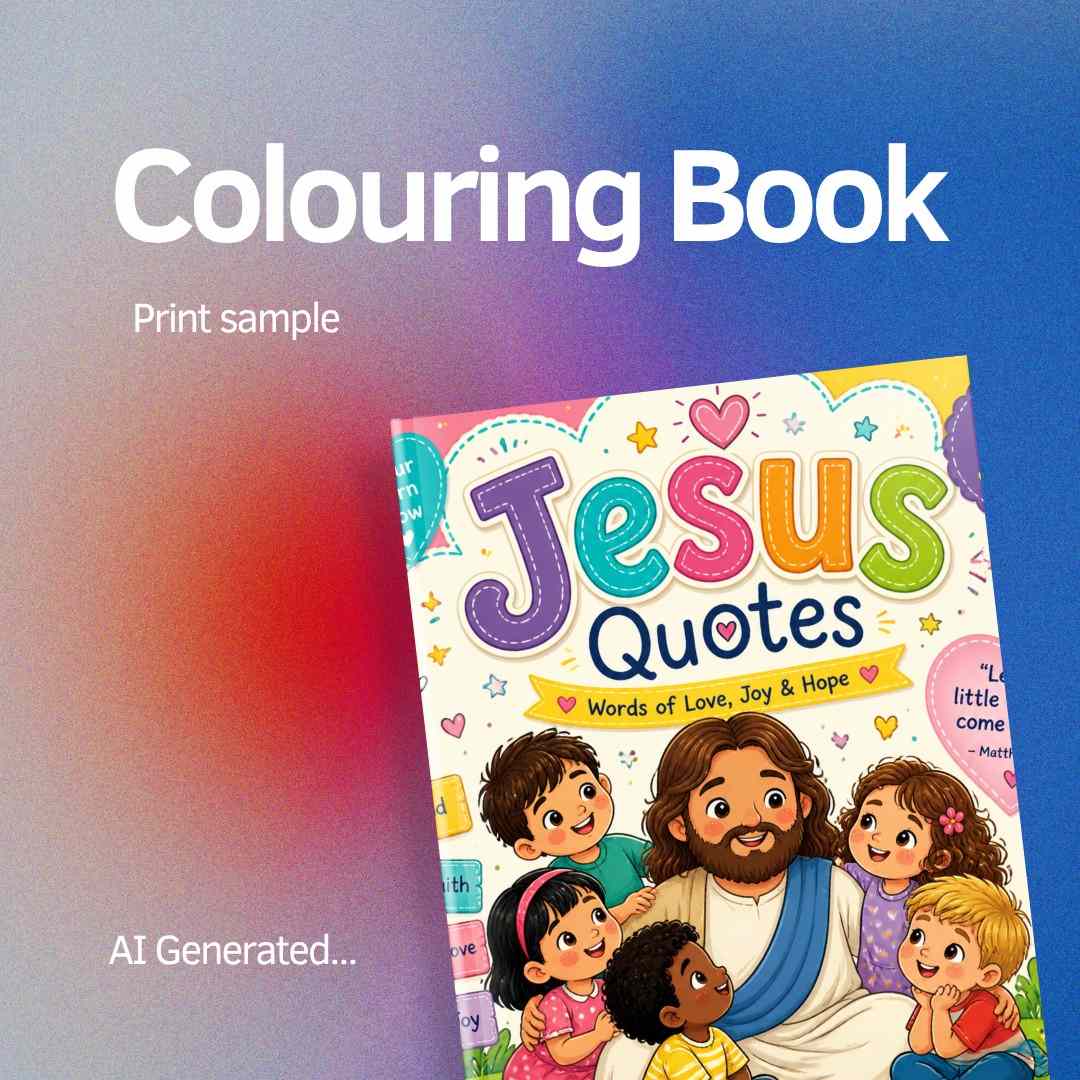
I took a Hard Paperback Print, with 100 GSM inside the pages of a coloring book, for one sample book for printing it cost us 1.01$. The shopkeeper said if I take around 500 copies I can get half a $.
Here are the book specifications:
- Book dimensions : 8.5×8.5 Inches.
- 100 GSM Paper Thickness.
- Price is 1.01 $ (96 Indian rupees).
Then I saw a physical copy in my hand, I felt so happy to see 🙂
Hitting the Streets: Pitching Local Retailers
I searched every stationary shop in my local area, to sell this colouring books exclusively in “stationary shops and bible stores”. I went to many shops to give sample books. In an hurry I forgot to print back cover important details like price, number of pages, contact details, and book description.
When I visited store to give sample colouring book, they(storekeepers) asked some important questions and answers:
- Is these AI generated colouring books?
- What is the cost of colouring books that I am giving to storekeepers?
- How much margin am I expecting on each colouring book?
- How many varieties do I have in these colouring books?
- How much quantity do I want to give to the store to keep?
And also, they(storekeepers) mentioned some typical statement like:
- Customers won’t buy for a high price like 1.36 dollar (130 indian rupees) for 20 paper colouring book.
Why Our Local Idea “Failed” (The Post-Mortem)
- There is no high market value locally for colouring books.
- There is less margin for selling colouring books in shops.
- High competition in the market, with less price.
- Not the best hobby for most people in a particular area.
Shifting Gears: Moving From Local Retail to Passive Income Online
After Thinking, I want to sell colouring books on online platforms like Amazon KDP, Etsy, and so on…
STEPS to Create Amazon KDP Account:
Amazon KDP Account Creation, and Do’s & Don’ts:
To Create Required Things:
- Legal Name & Contact Information (name should be same as identity proof).
- Bank Account Details.
- Identity Proof.
The Do’s:
- Do Keep Only ONE Account.
- Do Use Pen Names Correctly.
- You can publish under as many pen names as you want, but you enter pen names in the Book Details page for each individual title, not in your global Account Settings.
- Do Enable Two-Step Verification (2SV).
- Do Verify Full Ownership Rights.
- Do Use Human-Sounding Author Names.
The Don’t’s:
- Don’t Keyword-Stuff Book Titles.
- Don’t Share Login Information.
- Don’t Duplicate Content.
- Don’t Use Trademarks or Copyrighted Elements.
- Don’t Open a New Account After Termination.
After Account Creation, to upload Colouring Book “PDF” format into Amazon KDP Bookshelf, you need to create “Amazon KDP Book Details”.
Here is the overview of hardcover details:
Amazon KDP Paperback / Hardcover Details (Metadata Tab)
- Language: Select the primary language used in your book (e.g., English).
- Book Title & Subtitle: Enter your main title and an optional descriptive subtitle detailing the theme or target audience.
- Series Information: Link the book to an existing or new series if it is part of a multi-book collection.
- Edition Number: Add an edition number if this is a revised version of a previously published book.
- Author Name: Specify your name or pen name under which the coloring book will be published.
- Contributors: List any co-authors, illustrators, or editors who helped create the book.
- Description: Write a compelling summary explaining the themes, page count, and key features to attract buyers.
- Publishing Rights: Select whether you own the copyright (original work) or if it is a public domain title.
- Keywords: Enter up to 7 search keywords or phrases to help buyers discover your book.
- Categories: Choose up to 3 relevant Amazon product categories (e.g., Crafts, Hobbies & Home > Coloring Books).
- Adult Content Flag: Indicate whether the content contains explicit material suited only for adults (select “No” for standard coloring books).
Please check below, how i created this book details:
- In canva i choose A4 document format
- Then I clicked the “Ask Canva AI” tool to write Amazon KDP book details.
- Here is the prompt: “I need book details generated for amazon: A children’s colouring book with cute Jesus text quotes illustrations, designed for kids aged 6 to 8.”
Below you can check generated book details:
Download “Amazon KDP Book Details: as a PDF. Free.
Working Title:
Cute Faith-Filled Illustrations and Short Christian Quotes for Kids Ages 6–8.
Amazon product description:
Invite children into a peaceful, creative moment with Jesus Loves Me, a welcoming Christian colouring book made especially for children ages 6–8.
Every page pairs a cute Jesus-themed illustration with a short, child-friendly faith quote or message. Simple designs give young artists plenty of space to colour, while gentle words encourage kindness, courage, gratitude, prayer, love, and trust.
Perfect for Christian families, Sunday school classrooms, church activity groups, children’s ministry programs, gifts, rainy afternoons, and quiet creative time, this book offers an encouraging way for children to enjoy faith at their own pace.
With its warm tone and approachable activities, this colouring book can help children slow down, express themselves, and connect positive Christian ideas with a fun hands-on experience.
Publication note: Any Bible quotations or verse references included in the final interior must be checked against the chosen translation, including wording, attribution, and permissions requirements, before publication.
7 backend keyword phrases:
- Christian colouring book for kids.
- Jesus colouring book ages 6–8.
- Sunday school activity book.
- faith-based colouring book children.
- Christian gifts for children.
- Bible activity book for kids.
- Christian quiet time activities.
Final pre-publishing checklist:
Complete each item before uploading the book to KDP.
- Confirm the final title and subtitle match the interior and cover.
- Review every illustration for a clear, age-appropriate, child-friendly presentation.
- Check that each faith quote is short, welcoming, and suitable for children ages 6–8.
- Identify which lines are original faith messages and which, if any, are Bible quotations.
- Verify every Bible quotation and verse reference against the chosen translation.
- Confirm permissions, attribution wording, and quotation limits for any Bible translation used.
- Remove or revise any unverified translation, denomination, author, publisher, or copyright details.
- Proofread spelling, punctuation, verse references, headings, and repeated text.
- Confirm reading age 6–8 and grade range 1–3 are appropriate for the finished pages.
- Validate KDP categories and enter the seven relevant backend keyword phrases within current KDP guidance.
- Confirm trim size, bleed, margins, page count, cover copy, and print quality using KDP previews.
- Complete the author and publisher placeholder fields with approved information only.
- Order and review a proof copy before making the book available for purchase.
Amazon KDP Paperback / Hardcover Content (Upload Tab) Final checklist:
- Print ISBN: Opt to use a free Amazon ISBN or assign your own custom ISBN.
- Publication Date: Leave blank to publish immediately upon approval or schedule a future release date.
- Print Options (Paper & Ink): Select Black & white interior with white paper or standard color interior depending on your design style.
- Trim Size: Choose the physical dimensions of your book (e.g., popular 8.5″ x 11″ for coloring books).
- Bleed Settings: Choose Bleed if your coloring illustrations extend to the edge of the physical page, or No Bleed if they stay within margins.
- Paperback Cover Finish: Choose between a Matte or Glossy outer cover finish.
- Manuscript Upload: Upload your formatted PDF file containing all interior coloring pages.
- Cover Upload: Upload a print-ready PDF cover file or design one using KDP’s built-in Cover Creator tool.
- Book Previewer: Run the online previewer tool to check for layout issues, low-resolution graphics, or margin errors before submitting.
After you complete everything, Amazon KDP will review the Colouring book, it takes around 4-10 days, while it is in review stage you can upload another colouring book.
What’s next?
I am currently doubling down on our Amazon KDP and Etsy store setup, applying everything I learned from our first physical retail reality check. Building a side hustle isn’t a straight line—it’s a series of experiments, pivots, and valuable lessons.
Have you ever tried launching a physical product or a side hustle that didn’t go quite as planned? How did you pivot? Let me know in the comments below—I’d love to hear your story!
In the next blog iam gonna show you the Amazon KDP bookshelf with my Approved colouring book in the Amazon KDP store 🙂
Freebie: provide some valuable file here.
— Krishna(Digital Marketer, Illustrator, and fellow builder figuring it out one step at a time.)